
May 20, 2026
Modern Ruby applications rarely interact directly with native graphics pipelines.
Most projects delegate image processing to external tools, shell commands, or heavyweight libraries like ImageMagick. But underneath many rendering systems lies a smaller, older, and surprisingly powerful engine: libgd.
The ruby-libgd project brings that engine directly into Ruby through a native C extension, exposing low-level graphics primitives, text rendering, filters, alpha blending, and animated GIF generation with a clean Ruby API.
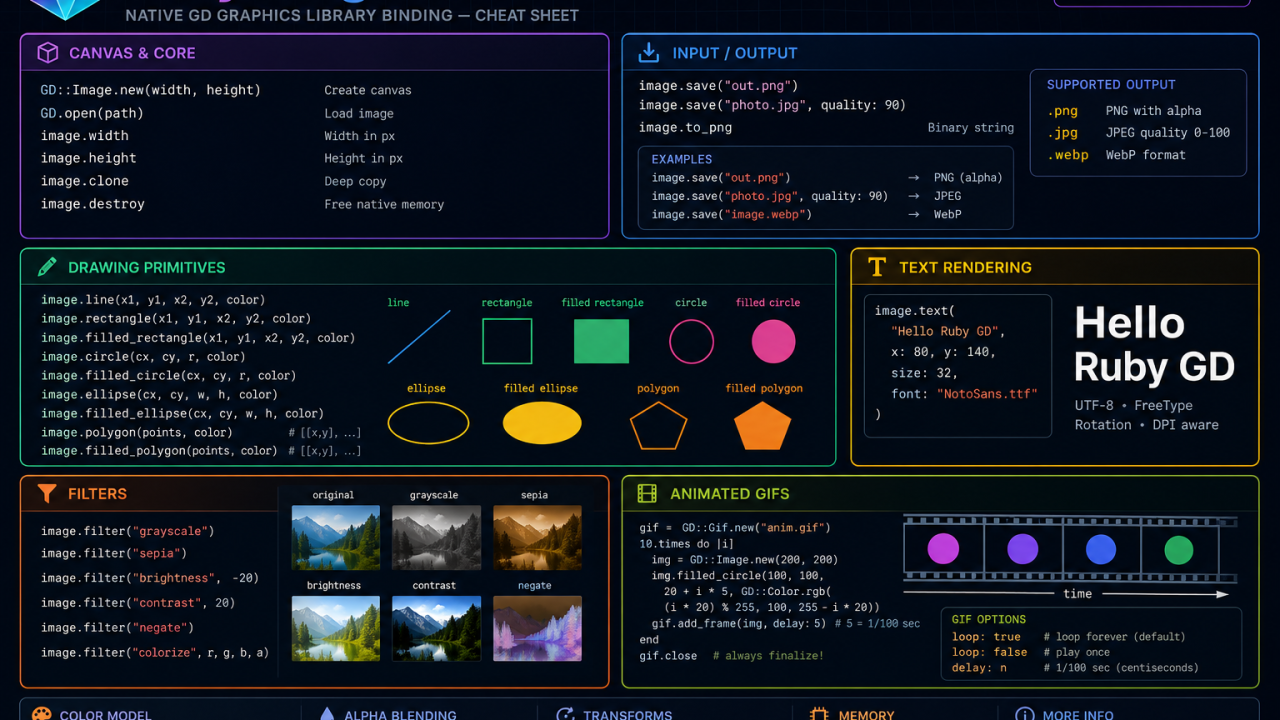
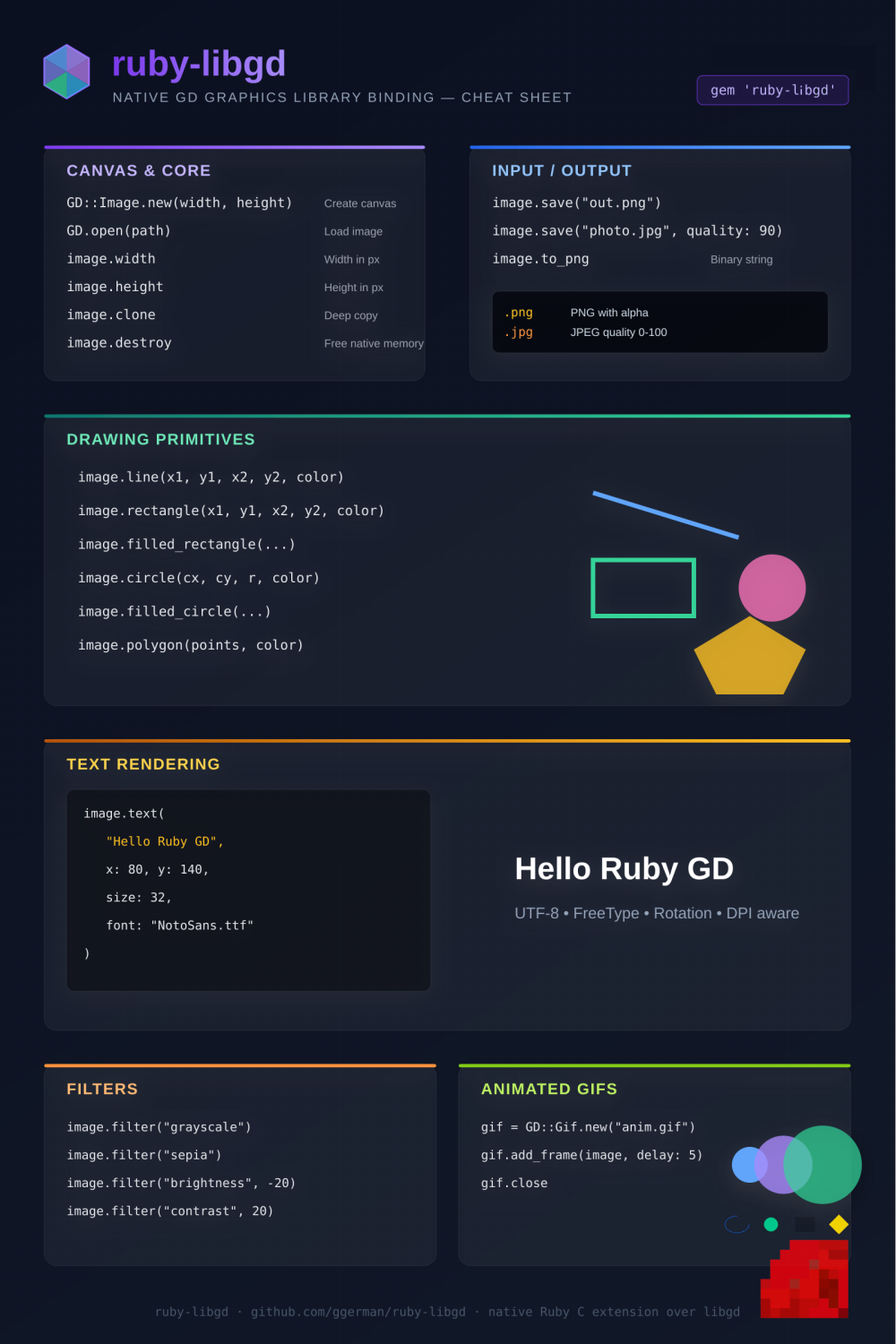
To make the library easier to explore visually, I created a full SVG cheat sheet covering the core API surface of ruby-libgd.
The result looks less like traditional documentation and more like a technical cockpit for image generation.
The Cheat Sheet
The sheet was designed as a developer-first reference:
- dark UI
- syntax-focused layout
- categorized API blocks
- native rendering examples
- visual previews for shapes and text rendering
- exportable SVG format
It documents the most important areas of the library:
- canvas creation
- image loading/saving
- drawing primitives
- text rendering
- filters
- animated GIFs
- memory lifecycle
- alpha blending
The SVG format also makes it practical for:
- GitHub READMEs
- conference slides
- technical blog posts
- posters
- print exports
- social media cards
Canvas & Core
One of the first sections of the cheat sheet focuses on the image lifecycle itself.
img = GD::Image.new(800, 600)
This creates a native truecolor canvas backed directly by libgd.
The sheet highlights common operations:
img.widthimg.heightimg.cloneimg.destroy
The inclusion of .destroy is intentional.
Because ruby-libgd wraps a native C library, memory management matters more than in purely managed Ruby libraries.
That distinction is important for:
- rendering services
- batch processing
- GIS pipelines
- image APIs
- animation generators
Input & Output
The I/O section focuses on practical export workflows.
img.save("out.png")img.save("photo.jpg", quality: 90)
The cheat sheet visually separates:
- PNG
- JPEG
- WebP
and documents the expected behavior of each format.
PNG support with alpha blending is particularly important because many Ruby graphics libraries still struggle with transparent rendering workflows.
Drawing Primitives
The heart of the sheet is the drawing section.
This is where ruby-libgd begins feeling closer to a rendering engine than a simple image helper.
The API exposes primitives like:
image.line(...)image.rectangle(...)image.circle(...)image.polygon(...)
The SVG cheat sheet visually previews those primitives directly beside the API signatures.
That design choice matters.
Developers understand graphics APIs much faster when the shape and the method appear together.
The preview area intentionally mimics a mini rendering sandbox.
Text Rendering
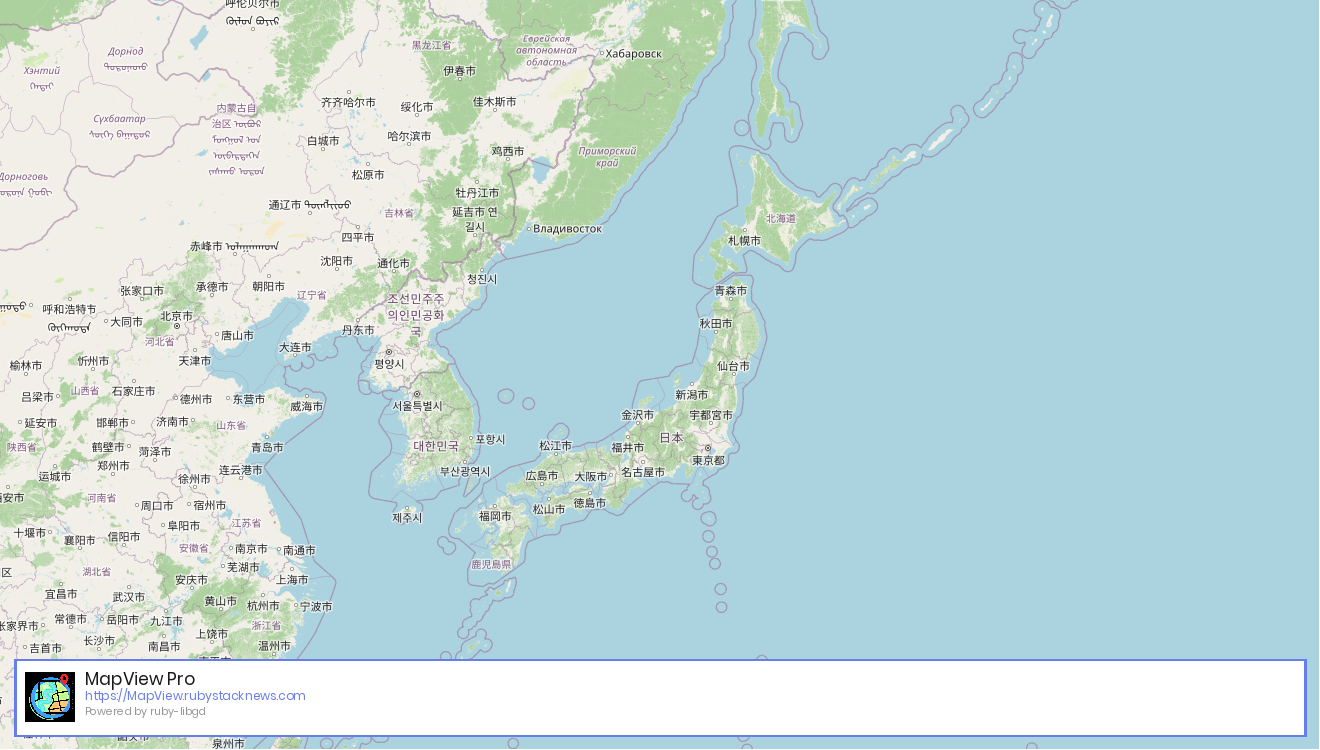
Text rendering is one of the strongest sections of the sheet.
The library supports:
- UTF-8
- FreeType
- antialiasing
- DPI-aware rendering
- multiline layouts
- rotation
Example:
image.text( "Hello Ruby GD", x: 80, y: 140, size: 32, font: "NotoSans.ttf")
The cheat sheet places the rendered output directly beside the source code.
That side-by-side layout makes the relationship between API and result immediately understandable.
For multilingual systems, this is especially valuable.
The sheet explicitly calls out:
- UTF-8 support
- font rendering
- FreeType integration
which are critical features for:
- dashboards
- GIS labels
- map rendering
- PDF pipelines
- dynamic social images
Filters
The filter section focuses on post-processing operations.
image.filter("grayscale")image.filter("sepia")image.filter("brightness", -20)
Rather than documenting every internal detail, the cheat sheet prioritizes fast recognition.
This is one of the key goals of cheat-sheet design: reduce cognitive lookup time.
The visual hierarchy intentionally emphasizes:
- method name
- arguments
- effect
in that order.
Animated GIFs
One of the more interesting areas of ruby-libgd is animated GIF support.
gif = GD::Gif.new("anim.gif")gif.add_frame(image, delay: 5)gif.close
The cheat sheet treats GIF generation as a first-class rendering workflow instead of an obscure utility.
That matters because animated image generation still appears in:
- automation tools
- retro web projects
- bots
- dashboards
- lightweight UI systems
The animated circles in the visual block were designed to hint at frame progression without requiring actual animation in the SVG itself.
Designing the Cheat Sheet
The visual design intentionally mixes:
- terminal aesthetics
- cyberpunk gradients
- technical UI panels
- IDE-inspired spacing
The goal was to make the document feel like: part engineering reference, part rendering interface.
Several details were added specifically for developer readability:
- monospace API typography
- large section headers
- color-coded domains
- soft contrast backgrounds
- grid-based alignment
- shadowed floating panels
The structure also mirrors the actual workflow developers follow:
- create canvas
- load/save images
- draw shapes
- render text
- apply filters
- export animations
Why Native Graphics Still Matter
One of the larger ideas behind the cheat sheet is visibility.
Many Ruby developers forget that native graphics pipelines are still available directly inside Ruby.
Modern web stacks often push image rendering into:
- external services
- headless browsers
- shell scripts
- Node.js tooling
But native rendering still offers advantages:
- lower overhead
- predictable pipelines
- no subprocess orchestration
- fast batch rendering
- reduced deployment complexity
For infrastructure-heavy systems, those properties matter.
Especially in:
- GIS systems
- image APIs
- automation platforms
- rendering workers
- reporting systems
Source: https://github.com/ggerman/ruby-libgd
Gem: https://rubygems.org/gems/ruby-libgd
Final Thoughts
Cheat sheets work best when they are both practical and aspirational.
A good one should:
- help developers immediately
- communicate architectural ideas visually
- make a project feel alive
The ruby-libgd SVG sheet was designed with exactly that goal.
Not just documentation.
A visual interface into the rendering engine itself.