
April 13, 2026

🚀 See the LIVE DEMO in action
MapView
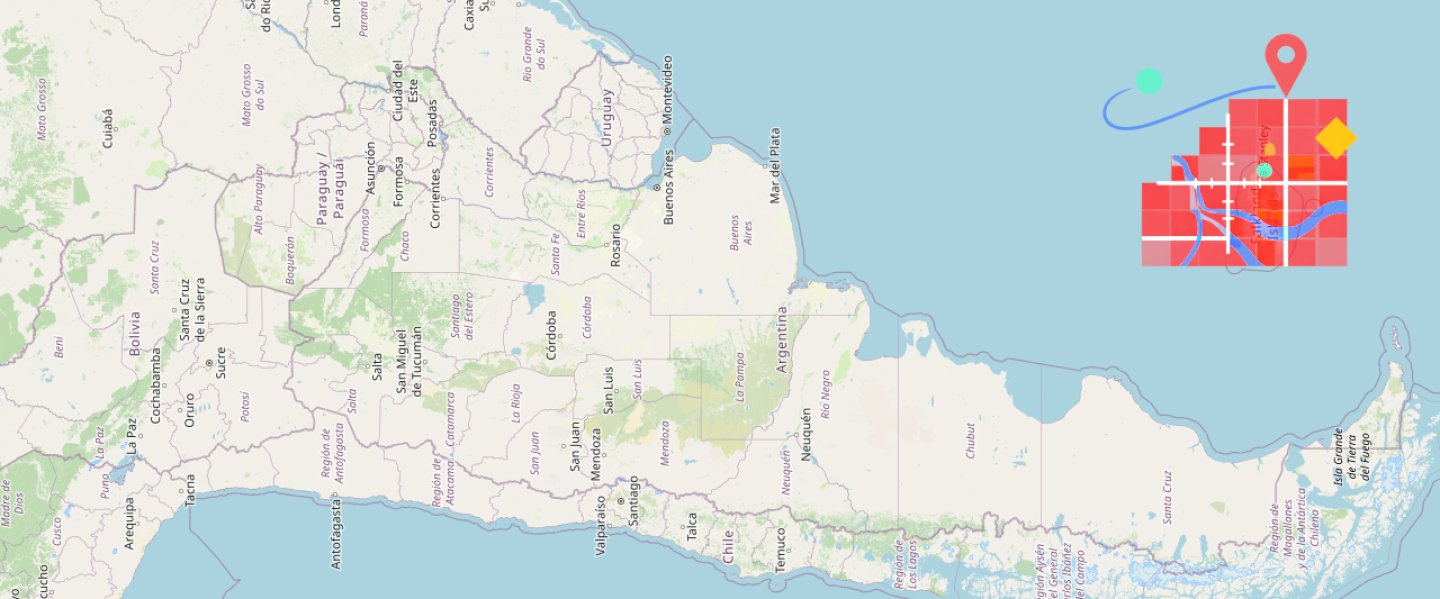
Render maps directly from your backend no external APIs required. Fast, controlled, and production-ready.
Try the demo →Introduction
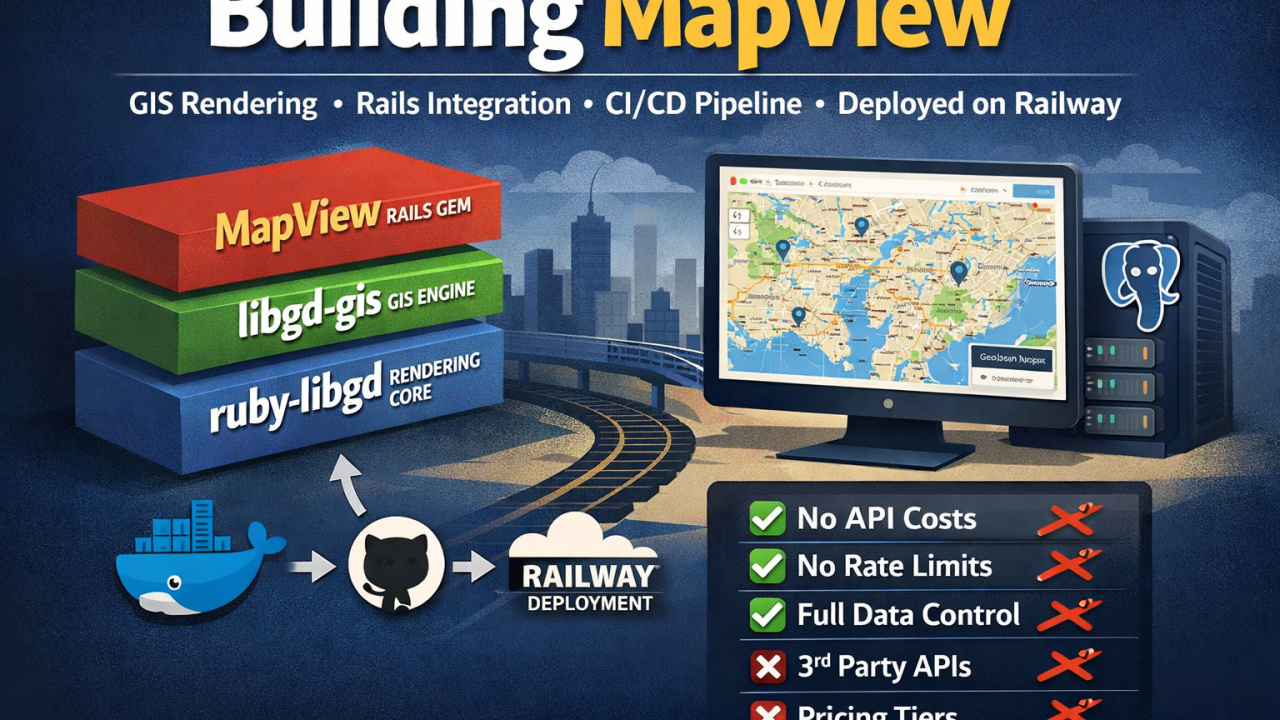
MapView is a server-side map rendering engine for Rails that generates high-quality geographic visualizations without external API dependencies. This article explores the technical architecture behind the project, its deployment pipeline, and how we leverage Railway for production hosting.
The project encompasses multiple layers: the core rendering engines (ruby-libgd, libgd-gis), the Rails gem integration (MapView), and the live demo application. Understanding how these pieces fit together reveals the challenges and solutions of building production-grade infrastructure for a data-intensive application.
Project Architecture
Three-Layer Stack
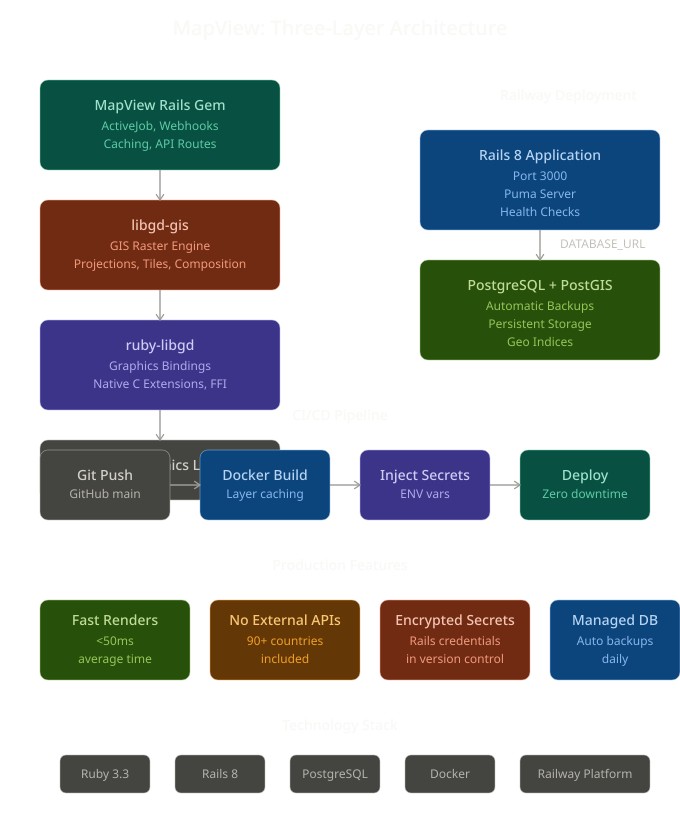
MapView is built as three distinct, composable layers:
Layer 1: ruby-libgd A high-performance Ruby wrapper around libgd, the C graphics library. This provides direct access to bitmap rendering, image manipulation, and low-level graphics operations. By wrapping libgd in native C extensions with FFI bindings, we maintain Ruby’s expressiveness while preserving C-level performance.
Layer 2: libgd-gis The GIS-specific raster engine built on top of ruby-libgd. This layer handles geographic coordinate systems, projection transformations, tile fetching from basemap providers (OpenStreetMap, Carto, Mapnik, etc.), and raster composition. It’s the abstraction that translates geographic data into rendered images.
Layer 3: MapView (Rails Gem) The Rails-specific integration layer. This is what developers use in their applications. It provides an ActiveJob-compatible rendering interface, webhook support, caching strategies, and seamless integration with Rails patterns.
Separation of Concerns
This three-layer design allows each component to have a single responsibility:
- ruby-libgd: Graphics rendering
- libgd-gis: GIS logic
- MapView: Rails integration
Each layer can be versioned, tested, and deployed independently. A breaking change in the GIS engine doesn’t require updating the Rails gem until it’s been properly integrated and tested.
The Demo Application
The live demo at https://map-view-demo.up.railway.app is a full Rails 8 application that showcases MapView’s capabilities. It includes:
- An interactive map viewer with 90+ countries and regions
- GeoJSON upload and rendering
- Multiple basemap styles
- Zoom level controls
- Pricing page with subscription management
- Contact form for enterprise inquiries
- Blog (RubyStackNews) integration
The demo doubles as a proof-of-concept for potential customers: “This is what your application could look like.”
Deployment Architecture on Railway
Project Structure
ror_map_view/├── Dockerfile # Production image definition├── Gemfile # Rails dependencies├── config/│ ├── database.yml # PostgreSQL configuration│ ├── routes.rb # Route definitions│ └── credentials.yml.enc # Encrypted secrets├── app/│ ├── controllers/ # Rails controllers│ ├── views/ # HTML/ERB templates│ ├── models/ # ActiveRecord models│ └── mailers/ # ActionMailer definitions├── map_view/ # Gem in monorepo│ ├── lib/│ ├── gemspec│ └── README.md└── public/ # Static assets
Services on Railway
Primary Service: Rails Application
- Buildpack: Dockerfile
- Health check: / returns HTTP 200
- Restart policy: Automatic on crash
- Environment variables: RAILS_ENV=production RAILS_LOG_TO_STDOUT=true RAILS_SERVE_STATIC_FILES=true SECRET_KEY_BASE (auto-generated) DATABASE_URL (auto-provided by PostgreSQL service)
Secondary Service: PostgreSQL
- Version: Latest stable
- Automatic backups: Daily
- Connection pooling: Handled by Rails’ built-in pool
- Storage: Persistent volume (survives app restarts)
Networking
Railway automatically provides:
- Private network between Rails app and PostgreSQL
- Environment variable DATABASE_URL injected at runtime
- SSL connections for external HTTPS traffic
- CDN for static assets
No manual network configuration needed—Railway handles service discovery.
CI/CD Pipeline
Local Development → GitHub
Developers work locally with docker-compose:
yaml
services: postgres: image: postgis/postgis:16-3.4 environment: POSTGRES_USER: postgres POSTGRES_PASSWORD: postgres POSTGRES_DB: delivery_development web: build: . command: bundle exec rails server -b 0.0.0.0 environment: DATABASE_URL: postgresql://postgres:postgres@postgres:5432/delivery_development
This mirrors production exactly: same Ruby version, same gems, same database (PostGIS-enabled PostgreSQL).
Deployment Flow
1. Developer pushes to GitHub main branch ↓2. Railway webhook triggered automatically ↓3. Railway clones repository ↓4. Docker image built (layer caching optimizes rebuild time) ↓5. Secrets injected (DATABASE_URL, SECRET_KEY_BASE, etc.) ↓6. New container spun up, old one kept warm during transition ↓7. Health check passes → traffic switched to new container ↓8. Old container shut down after grace period
This zero-downtime deployment strategy means users never see 502 errors during a release.
Dockerfile Optimization
Our Dockerfile uses multi-stage building to keep the final image lean:
dockerfile
FROM ruby:3.3.0RUN apt-get update && apt-get install -y build-essential libgd-dev pkg-config postgresql-clientRUN gem install railsWORKDIR /appCOPY Gemfile Gemfile.lock ./RUN bundle install --without development testCOPY . .RUN bundle exec rails assets:precompileEXPOSE 3000CMD bundle exec rails server -b 0.0.0.0 -p 3000 -e production
Key optimizations:
- Only production gems installed (no development tools in final image)
- Assets precompiled during build (not at runtime)
- Minimal system dependencies
- No intermediate layers left behind
Handling Secrets and Configuration
Encrypted Credentials
Rails 8’s encrypted credentials system keeps secrets safe in version control:
bash
bundle exec rails credentials:edit
This creates config/credentials.yml.enc (encrypted) and config/master.key (the decryption key).
In development, master.key lives on the filesystem. In production, Railway injects it as an environment variable RAILS_MASTER_KEY, and Rails decrypts credentials.yml.enc at boot time.
Environment Variables
Non-secret configuration uses environment variables:
ruby
# config/environments/production.rbconfig.database_url = ENV['DATABASE_URL'] # Provided by Railway
This follows the 12-factor app methodology: code never changes between environments, only configuration.
Database Migrations
Migrations run automatically on Railway during deploy:
dockerfile
# In entrypoint script or Procfilebin/rails db:migrate
This ensures schema is always in sync with the running code. If a migration fails, the entire deployment is rolled back, preventing a broken state.
Monitoring and Debugging
Logs
All logs stream to STDOUT (configured with RAILS_LOG_TO_STDOUT=true). Railway captures these automatically:
GET /contact 200 OK (45ms)Rendered layout/application.html.erb (2.5ms)Started POST /contacts 400 Bad Request (1ms)
Developers access logs from Railway’s dashboard or CLI:
bash
railway logs
Error Tracking
The demo includes error reporting (optional):
- Sentry for exception tracking
- New Relic for performance monitoring
These could be added by setting environment variables in Railway’s project settings.
Health Checks
Railway monitors container health:
- Responds to HTTP requests on port 3000
- Exits gracefully on SIGTERM (gives running requests time to finish)
- Restarts if unhealthy for >30 seconds
Performance Considerations
Render Time
Map rendering happens synchronously in the controller, but Rails queues are configured for background jobs:
ruby
class MapRenderJob < ApplicationJob queue_as :default def perform(params) MapView.render(params) endend
For heavy workloads, jobs can be offloaded to a background worker (Sidekiq) running in a separate Railway service.
Caching
The demo uses Redis (optional) for fragment caching:
ruby
<% cache "map_#{@region}", expires_in: 1.hour do %> <%= render_map(@region) %><% end %>
This avoids re-rendering the same map multiple times within an hour.
Database Queries
PostGIS indices optimize geographic queries:
sql
CREATE INDEX idx_locations_geom ON locations USING gist(geom);
This allows fast spatial joins for features like “find all map tiles within bounding box.”
Disaster Recovery
Backups
Railway provides automatic PostgreSQL backups. Restore options:
- Point-in-time recovery: Restore to any moment in the past 7 days
- Manual backups: Export database as SQL dump
- Replication: Set up read replicas for high-availability scenarios
Rollback Strategy
If a deploy goes wrong:
bash
railway deploy --from <previous-deployment-id>
Railway keeps the last N successful deployments available for instant rollback. This is faster than waiting for a new build and vastly simpler than manual database rollbacks.
Cost Optimization
Resource Sizing
The demo runs on Railway’s starter tier:
- 1 vCPU for Rails app
- 512MB RAM
- Shared PostgreSQL (scalable to dedicated)
- ~$20-30/month for hobby/demo load
For production, size resources to actual demand using Railway’s metrics dashboard.
Cold Start Optimization
Ruby apps have a known cold-start penalty. Mitigate with:
- Keep containers warm (avoid 30+ minute idle periods)
- Use preload_app! in Puma configuration
- Consider Ruby 3.3’s YJIT compiler for faster boot times
Asset Delivery
Static assets (CSS, JS, images) are served from Rails with RAILS_SERVE_STATIC_FILES=true. For higher traffic, add a CDN (Cloudflare) in front of Railway.
Lessons Learned
What Worked Well
- Docker from day one: Eliminates “works on my machine” problems
- PostgreSQL with PostGIS: Eliminates external tile server dependency
- Railway’s simplicity: No Kubernetes to learn, no complex networking
- Layered architecture: Each gem is independently testable
- Encrypted credentials in Git: No separate secrets management system needed
Challenges Overcome
- Master key synchronization: Initially forgot that Railway needed RAILS_MASTER_KEY injected—solved by reading Rails 8 docs carefully
- Database migrations timing: First deploy tried to migrate before secrets were ready—fixed by ensuring migrations run in the Dockerfile, not on boot
- Static asset serving: Forgot RAILS_SERVE_STATIC_FILES=true—Railway was serving 404s for CSS/JS until this was added
- Memory usage: Ruby processes are memory-hungry; watched metrics closely to size containers appropriately
Conclusion
MapView’s production setup is intentionally simple: a single Rails app, a managed database, and automated deployments. This simplicity is a feature, not a limitation. By using Railway’s managed services, we avoid the operational complexity of managing Kubernetes, load balancers, and database replication.
The three-layer architecture (ruby-libgd → libgd-gis → MapView gem) allows us to ship faster and test more thoroughly. Each layer has a single responsibility, making debugging and extending the system straightforward.
The demo application proves the concept works. Potential customers can click around, upload GeoJSON, and see exactly what they’d get. From there, it’s a conversation about how to integrate MapView into their specific workflows.
Getting Started
To deploy MapView yourself on Railway:
- Clone the repository: git clone https://github.com/ggerman/ror_map_view
- Create a new Railway project and connect your GitHub account
- Deploy the main branch—Railway handles the rest
- Access the demo at the generated URL
For production deployments, reach out at https://map-view-demo.up.railway.app/contact.
About the Author: Germán Alberto Giménez Silva is a Senior Rails engineer with 15+ years of experience building production systems. He’s the creator of ruby-libgd, libgd-gis, and MapView. When not writing Ruby, he’s exploring how geographic data and Rails can solve real-world problems.
Published on RubyStackNews