
March 3, 2026
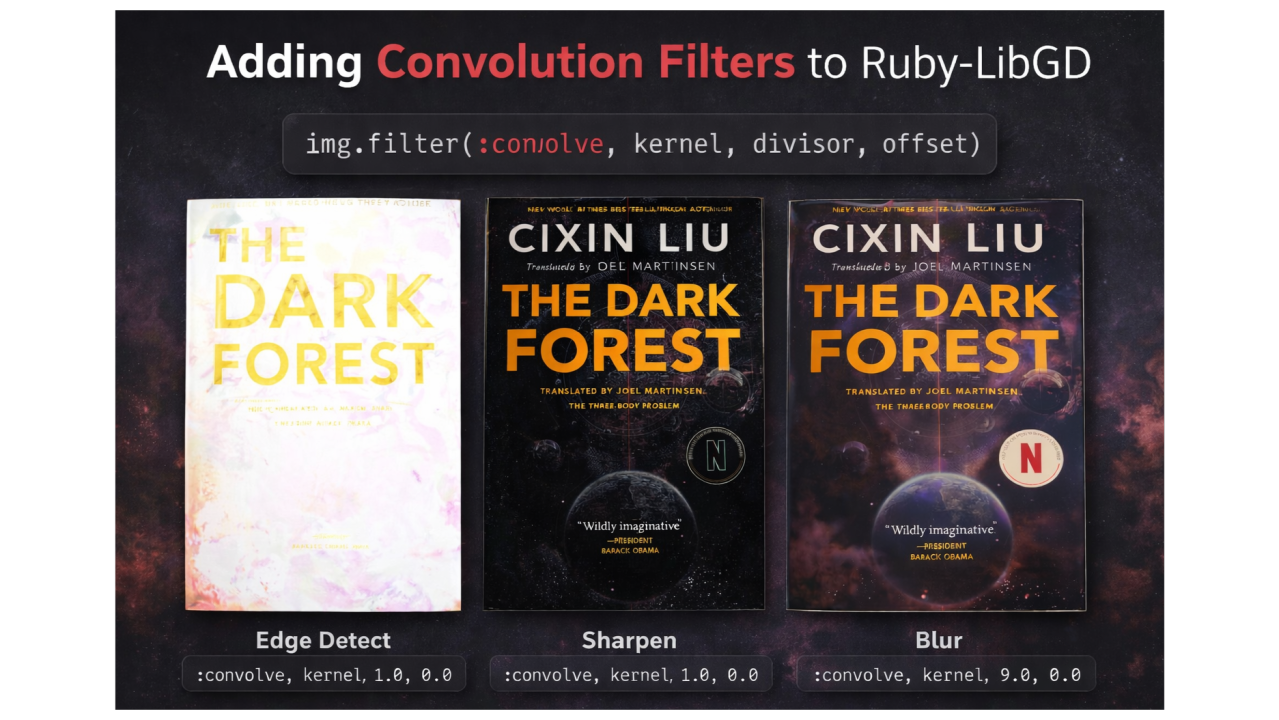
Today I implemented support for custom convolution filters in Ruby-LibGD, enabling the application of kernels such as blur, sharpen, and edge detection directly from Ruby.
At first glance, this may look like just another image filter. In reality, convolution is one of the most fundamental operations in image processing and computer vision.
Many common effects — from sharpening photos to detecting edges — are built on this simple mathematical concept.
Let’s explore what convolution is and how it can now be used with Ruby-LibGD.
What is Convolution?
Convolution is an operation that recalculates each pixel in an image based on its surrounding neighbors.
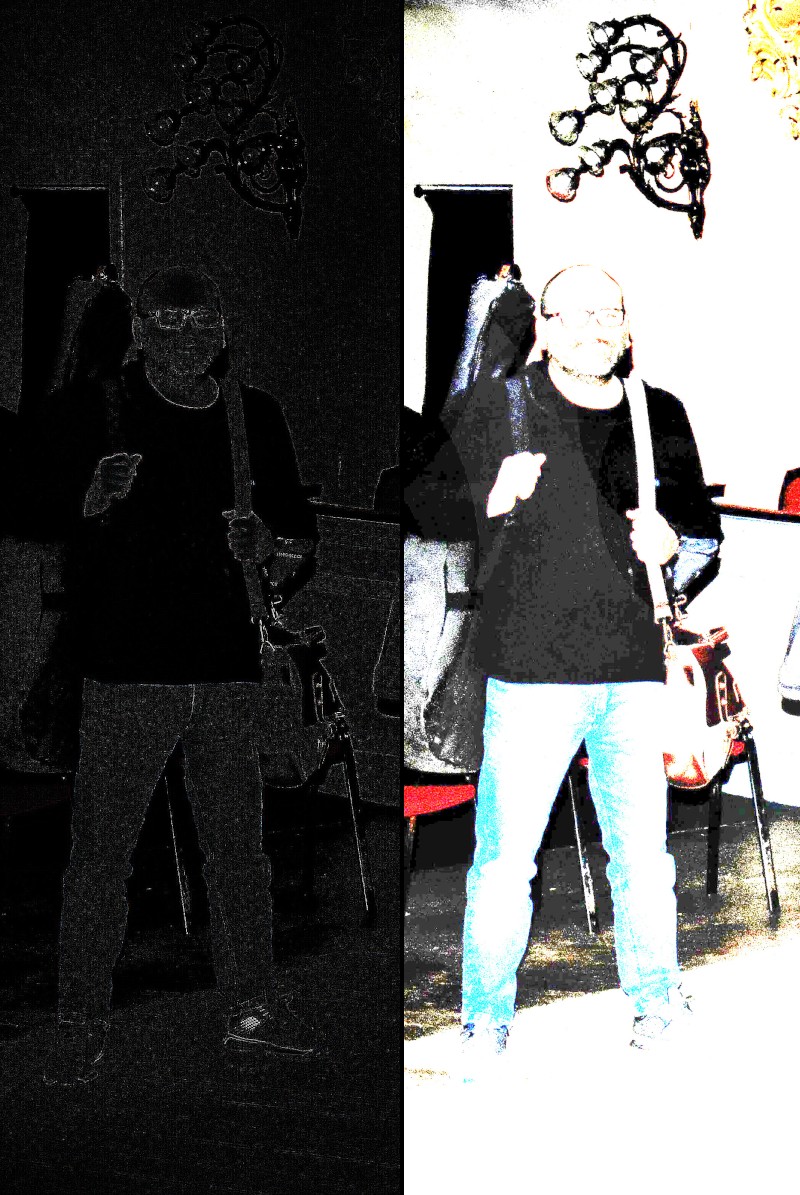
Instead of modifying a pixel individually, convolution examines a small window of pixels, usually 3×3, around the current pixel and computes a weighted sum.
The weights are defined by a matrix called a kernel.
For example:
[ 0 -1 0 ][ -1 5 -1 ][ 0 -1 0 ]
This kernel produces a sharpening effect.
Each value in the kernel multiplies the corresponding neighbor pixel. The results are summed together and then normalized.
Conceptually:
new_pixel = sum(neighbor_pixel × kernel_weight)
This simple idea powers many advanced visual effects.
Common Convolution Filters
With different kernels, convolution can produce very different results.
Edge Detection
Edge detection highlights regions where there is strong contrast between pixels.
Kernel example:
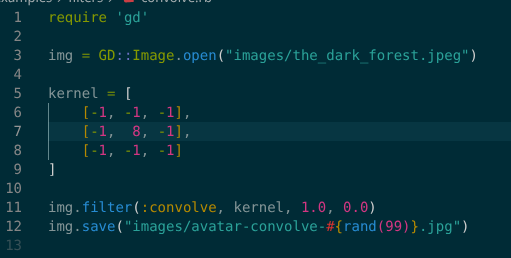
[ -1 -1 -1 ][ -1 8 -1 ][ -1 -1 -1 ]
This emphasizes edges by amplifying differences between a pixel and its neighbors.
Sharpen
Sharpening enhances details by boosting the center pixel while subtracting surrounding pixels.
Kernel:
[ 0 -1 0 ][ -1 5 -1 ][ 0 -1 0 ]
This increases contrast at boundaries and makes features more defined.
Blur
Blur smooths transitions between pixels by averaging their values.
Kernel:
[ 1 1 1 ][ 1 1 1 ][ 1 1 1 ]
Divided by 9, this creates a simple box blur.
Adding Convolution to Ruby-LibGD v0.2.5
Ruby-LibGD now exposes convolution through the filter method.
Example:
kernel = [ [0, -1, 0], [-1, 5, -1], [0, -1, 0]]img.filter(:convolve, kernel, 1.0, 0.0)
Arguments:
img.filter(:convolve, kernel, divisor, offset)
Where:
- kernel → a 3×3 matrix
- divisor → normalization factor
- offset → value added to the result
This implementation uses libgd’s native gdImageConvolution function, ensuring the operation runs efficiently in C while remaining accessible from Ruby.
Why This Matters
Adding convolution filters expands Ruby-LibGD beyond basic image manipulation.
It enables:
- custom image filters
- deterministic rendering pipelines
- edge detection and analysis
- advanced visual effects
- experimentation with image kernels
More importantly, it provides a foundation for higher-level graphics systems, including:
- map rendering engines
- procedural graphics
- watermark generation
- dynamic image services
In other words, this is another step toward turning Ruby-LibGD v0.2.5 from a simple binding into a flexible rendering engine for Ruby applications.
Explore Ruby-LibGD
If you want to experiment with convolution filters or build your own image processing pipelines in Ruby, you can find the project here:
RubyGems
👉 https://rubygems.org/gems/ruby-libgd
Ruby-LibGD is published as a Ruby gem providing high-performance native bindings to libgd for image generation, drawing, filters, alpha blending, and transformations.
Install it with:
gem install ruby-libgd
Source Code
👉 https://github.com/ggerman/ruby-libgd
The GitHub repository contains:
- the native C extension
- documentation and examples
- filters and drawing primitives
- the full development history of the project
Final Thoughts
Convolution might look intimidating at first, but its core idea is simple: each pixel becomes a weighted combination of its neighbors.
By changing the weights, we can transform images in powerful ways.
With this new addition, Ruby-LibGD users can experiment with their own kernels and build custom filters directly from Ruby.
🚀 Ruby-LibGD continues to evolve — and there’s much more coming.