
December 12, 2025
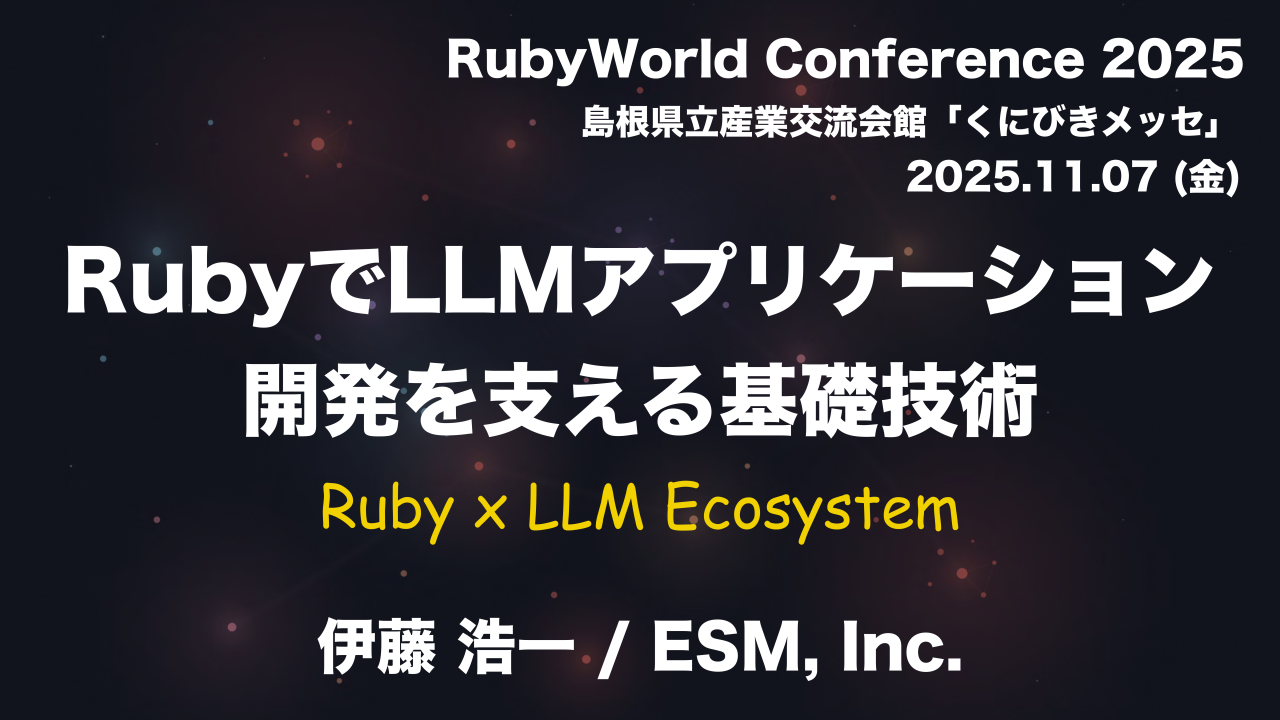
(Based on Koichi Ito’s “Ruby × LLM Ecosystem” presentation at Ruby World Conference 2025)**
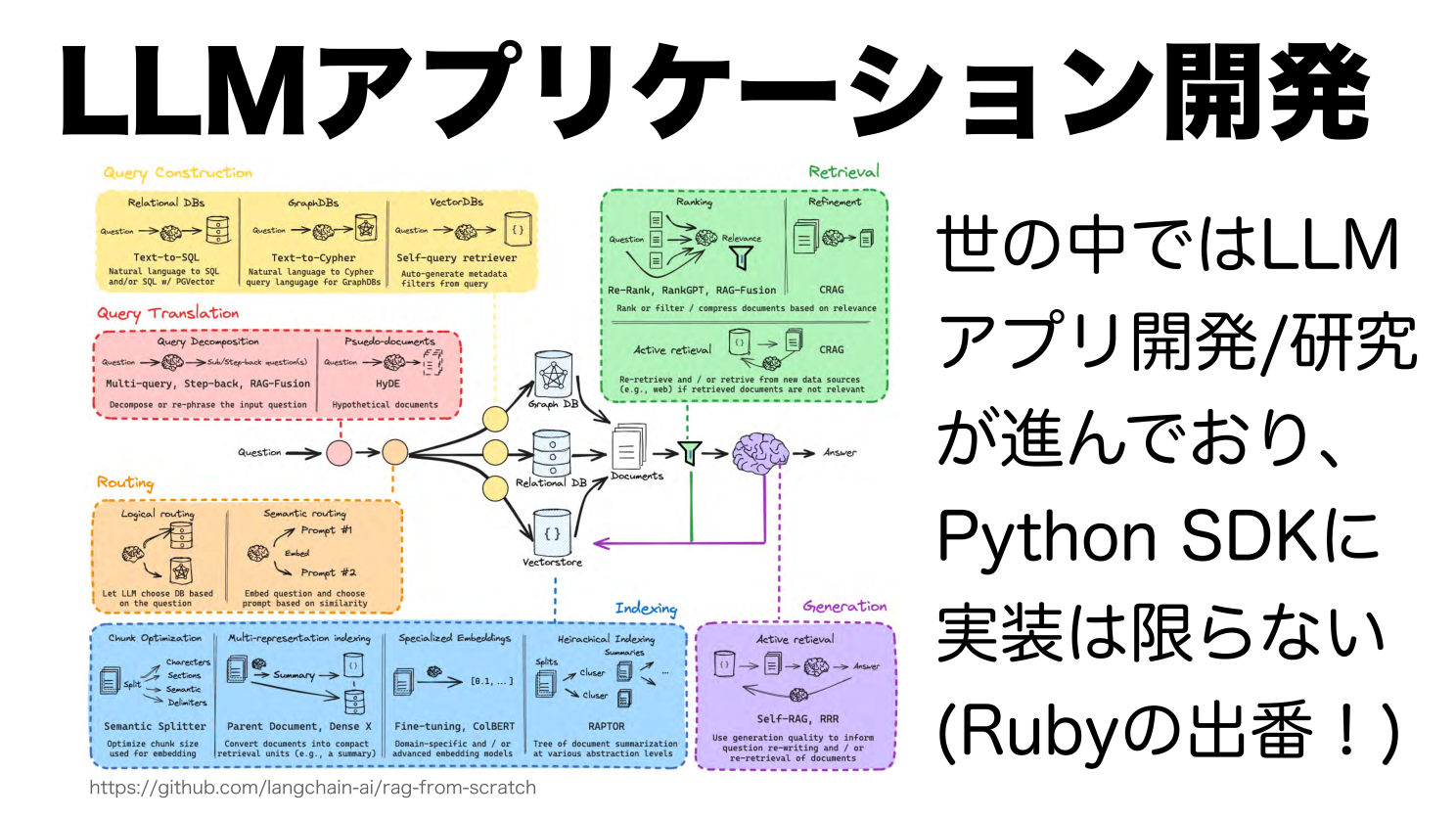
Large Language Models (LLMs) have rapidly evolved from experimental chatbots to foundational components of modern software. They now augment workflows in customer support, content generation, data analysis, and even development tools. While the early AI ecosystem was dominated by Python, the Ruby ecosystem has matured significantly: today, you can build complete, production-ready AI features without leaving Ruby or Rails.

This article summarizes the key highlights of Hayato Ikeyama’s presentation “Ruby × LLM Ecosystem”, delivered at Ruby World Conference 2025, and expands them with practical technical guidance for developers taking their first steps into Ruby-based LLM development.
1. Why LLMs matter in modern Ruby applications
At their core, LLMs generate text by predicting tokens autoregressively. This seemingly simple capability unlocks a range of use cases:
- Conversational agents and assistants
- Data transformation, summarization, and interpretation
- Autonomous AI agents using external tools
- Content and documentation generation
- AI-assisted software development (“vibe coding”)
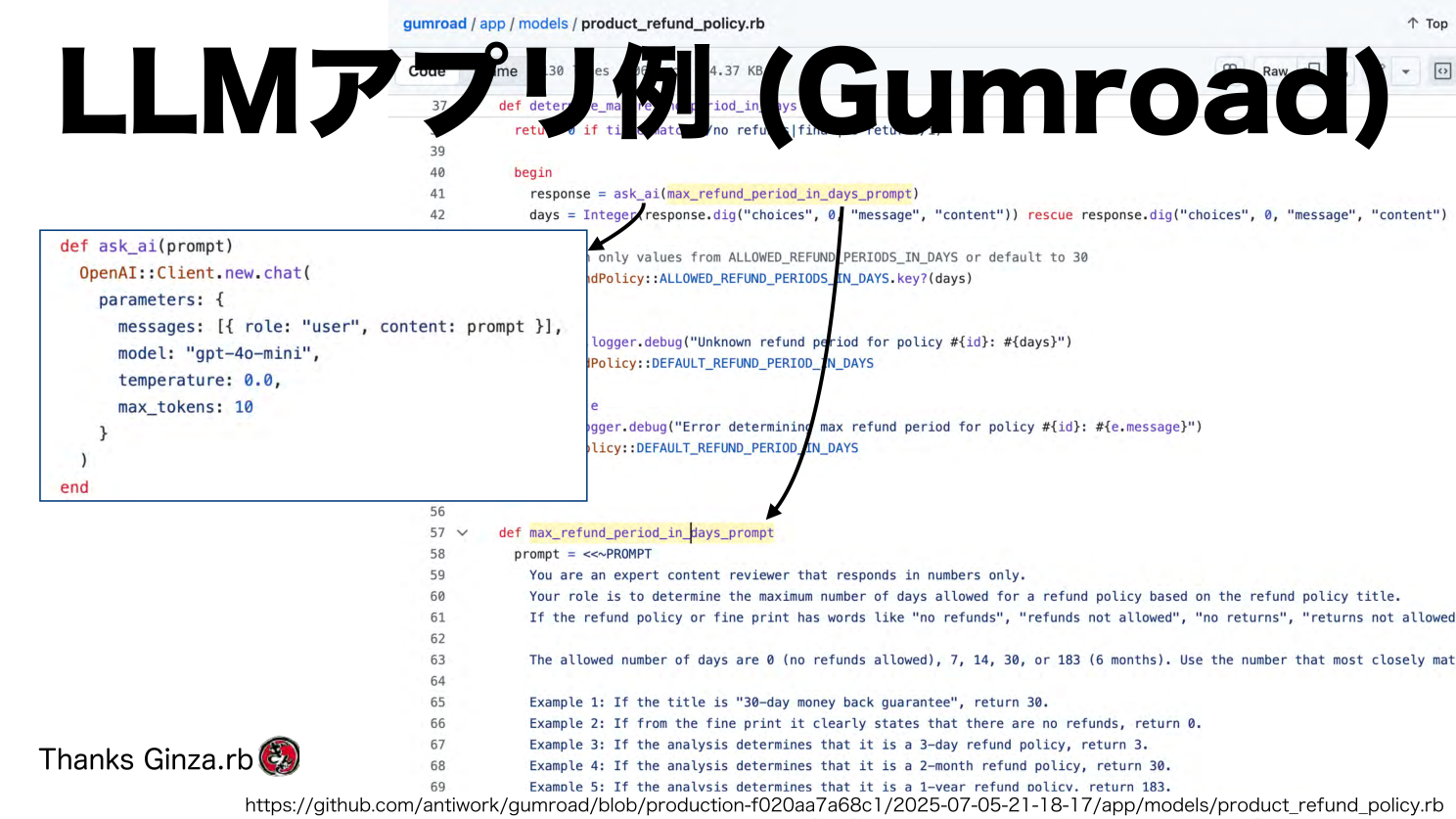
Ikeyama highlighted real examples such as Gumroad, which uses the ruby-openai gem directly inside a Rails model to generate refund policy suggestions.
The takeaway: Ruby is fully capable of integrating with advanced LLM APIs. You don’t need Python to build AI-driven systems.
2. Understanding the real challenge: connecting the LLM to your own data
An LLM does not know:
- your database,
- your business logic,
- your internal documents,
- or any real-time company data.
Two strategies compensate for this limitation:
1. Fine-tuning
Adapting the style or behavior of the model.
2. RAG (Retrieval-Augmented Generation)
Supplying external, up-to-date information retrieved from a vector database.
Ikeyama emphasized a critical insight:
- Fine-tuning modifies how a model writes.
- RAG updates what the model knows.
Nearly all production applications favor RAG because it keeps responses accurate and grounded.
3. Implementing RAG in Ruby: A step-by-step introduction
Below is a minimal but complete path to building your own RAG pipeline in Ruby.
Step 1: Choose an LLM provider
Ruby has first-class SDKs for:
- OpenAI
- Anthropic (Claude)
- Google Gemini
- Local models via Ollama
Example with OpenAI:
require "openai"

client = OpenAI::Client.new(access_token: ENV["OPENAI_API_KEY"])

response = client.chat(
  parameters: {
    model: "gpt-4.1",
    messages: [{ role: "user", content: "Hello from Ruby!" }]
  }
)

puts response.dig("choices", 0, "message", "content")
Step 2: Generate embeddings for your documents
embedding = client.embeddings(
  parameters: {
    model: "text-embedding-3-small",
    input: File.read("user_manual.txt")
  }
)

vector = embedding["data"][0]["embedding"]
Step 3: Store embeddings in a vector database
Ruby works seamlessly with:
- pgvector (recommended)
- Chroma
- Pinecone
- Weaviate
Example PostgreSQL table:
CREATE EXTENSION IF NOT EXISTS vector;

CREATE TABLE docs (
  id serial PRIMARY KEY,
  content text,
  embedding vector(1536)
);
Step 4: Retrieve the closest matches
nearest = ActiveRecord::Base.connection.exec_query(<<~SQL)
  SELECT content, embedding <-> '#{vector.to_pgvector}' AS distance
  FROM docs
  ORDER BY distance ASC
  LIMIT 5;
SQL
Step 5: Build the final RAG prompt
context = nearest.rows.map(&:first).join("\n---\n")

prompt = <<~PROMPT
  Use the following context to answer:

  CONTEXT:
  #{context}

  QUESTION:
  #{user_input}
PROMPT
This is a fully functional RAG workflow built entirely in Ruby.
4. LangChain.rb: A convenience framework for Ruby developers
Ikeyama showcased LangChain.rb, which provides:
- LLM wrappers
- Vector database abstractions
- Built-in tools
- An orchestration layer
Example:
require "langchainrb"

llm = Langchain::LLM::OpenAI.new(api_key: ENV["OPENAI_API_KEY"])
assistant = Langchain::Assistant.new(llm: llm)

assistant.chat("Help me design a product import endpoint in Rails.")
While the framework is helpful, the presentation noted that simple applications might not need it. Still, it’s a strong reference for architecture and best practices.
5. MCP (Model Context Protocol): The most forward-looking part of the Ruby ecosystem
This was one of the most innovative sections of Ikeyama’s talk.
What is MCP?
MCP is an open protocol enabling any LLM to connect to external systems that expose:
- Tools (functions the AI can call)
- Resources (files, APIs, databases)
- Prompts (templated instructions)
Communication happens through JSON-RPC over stdio or HTTP streaming.
Thanks to collaboration from Shopify and the community, Ruby now has an official MCP SDK—one of the most complete implementations available.
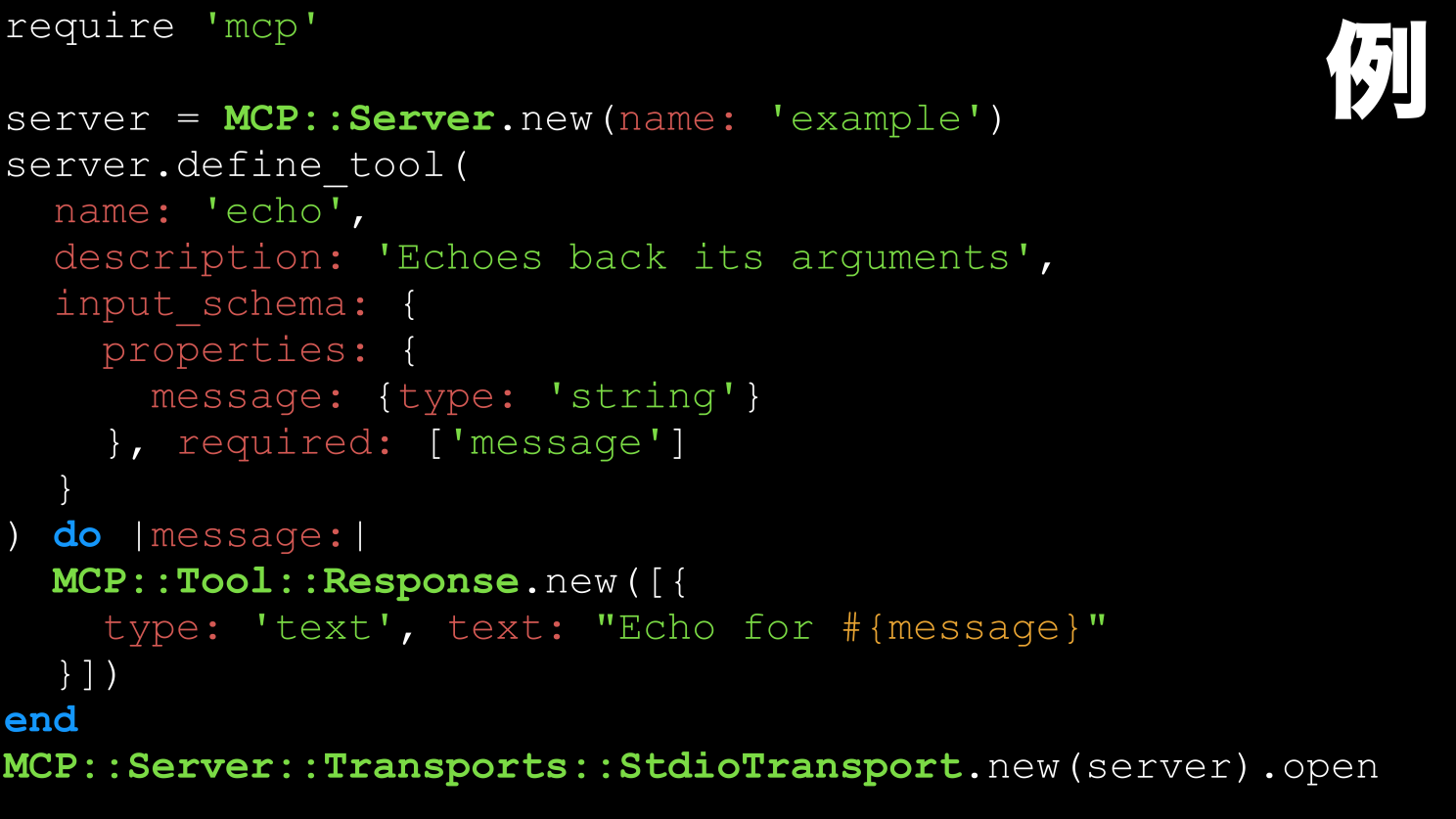
Minimal MCP server example in Ruby
require "mcp"

server = MCP::Server.new("demo-server") do |s|
  s.tool(
    name: "echo",
    description: "Returns the provided text",
    input_schema: {
      type: "object",
      properties: { message: { type: "string" } },
      required: ["message"]
    }
  ) do |input|
    MCP::Tool::Response.new(
      content: [{ type: "text", text: input["message"] }]
    )
  end
end

server.start
With MCP, an LLM can interact with your Ruby code just like it interacts with a native plugin inside Claude, ChatGPT, Cursor, or other AI IDEs.
This opens the door to:
- AI-driven Rails admin dashboards
- AI agents with controlled access to your system
- Automated workflows directly tied to your business data
6. What can you build today with Ruby + AI?
- An internal AI assistant connected to your database via MCP
- A semantic search engine for documentation or knowledge bases
- An AI-assisted developer tool that generates migrations, serializers, or tests
- A smart customer support agent powered by RAG and your own historical tickets
- Automated workflows triggered and governed by AI tools defined in Ruby
Ruby has reached a point where these projects are both viable and surprisingly straightforward.
Conclusion
Hayato Ikeyama’s “Ruby × LLM Ecosystem” presentation made one thing clear:
Ruby is ready for the AI era.
You can build RAG pipelines, create MCP servers, integrate advanced LLMs, and automate complex processes—all within the Ruby ecosystem you already know.
The landscape is still evolving, which means there is enormous opportunity for Ruby developers to contribute, innovate, and lead.