
April 8, 2026
Static GIS maps, pure Ruby, GeoJSON support, and zero JavaScript bloat.
Over 15 years ago, I discovered the GD library at a Linux conference. I was fascinated by the ability to generate graphics dynamically in C and PHP with just code. It seemed magical.
For two decades, I kept wondering: Why doesn’t Ruby have solid GD support?
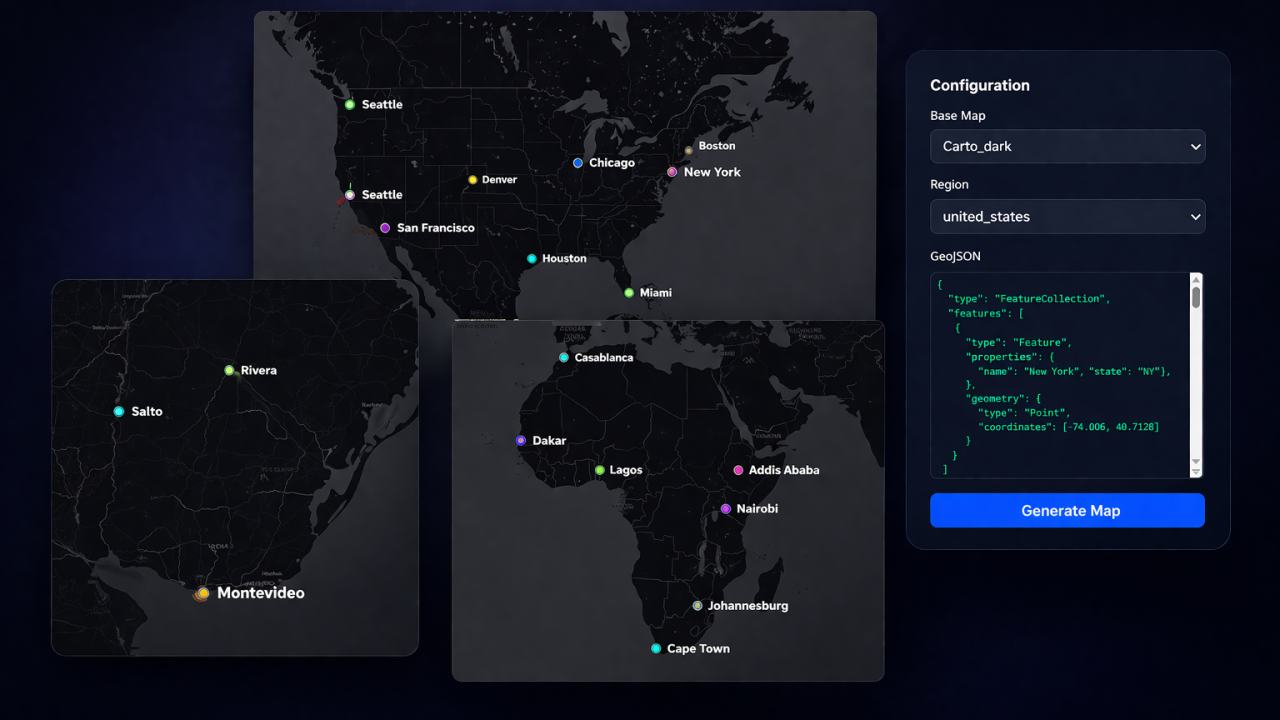
Last year, I built the answer. Today, I’m sharing it: MapView – a Rails gem that renders beautiful static maps without a single line of JavaScript.
The Problem We’re Solving
If you’ve integrated maps into a Rails app, you know the pain:
- JavaScript overhead – Leaflet, Mapbox, Google Maps add kilobytes to your bundle
- Complex setup – Configuration, API keys, licensing
- Expensive – Production usage gets pricey
- Overkill for static maps – A 200KB library just to show locations?
For delivery apps, real estate listings, store locators, and GIS reports, you often don’t need interactive maps. You need fast, beautiful static images.
That’s where MapView comes in.
The Solution: Pure Ruby Rendering
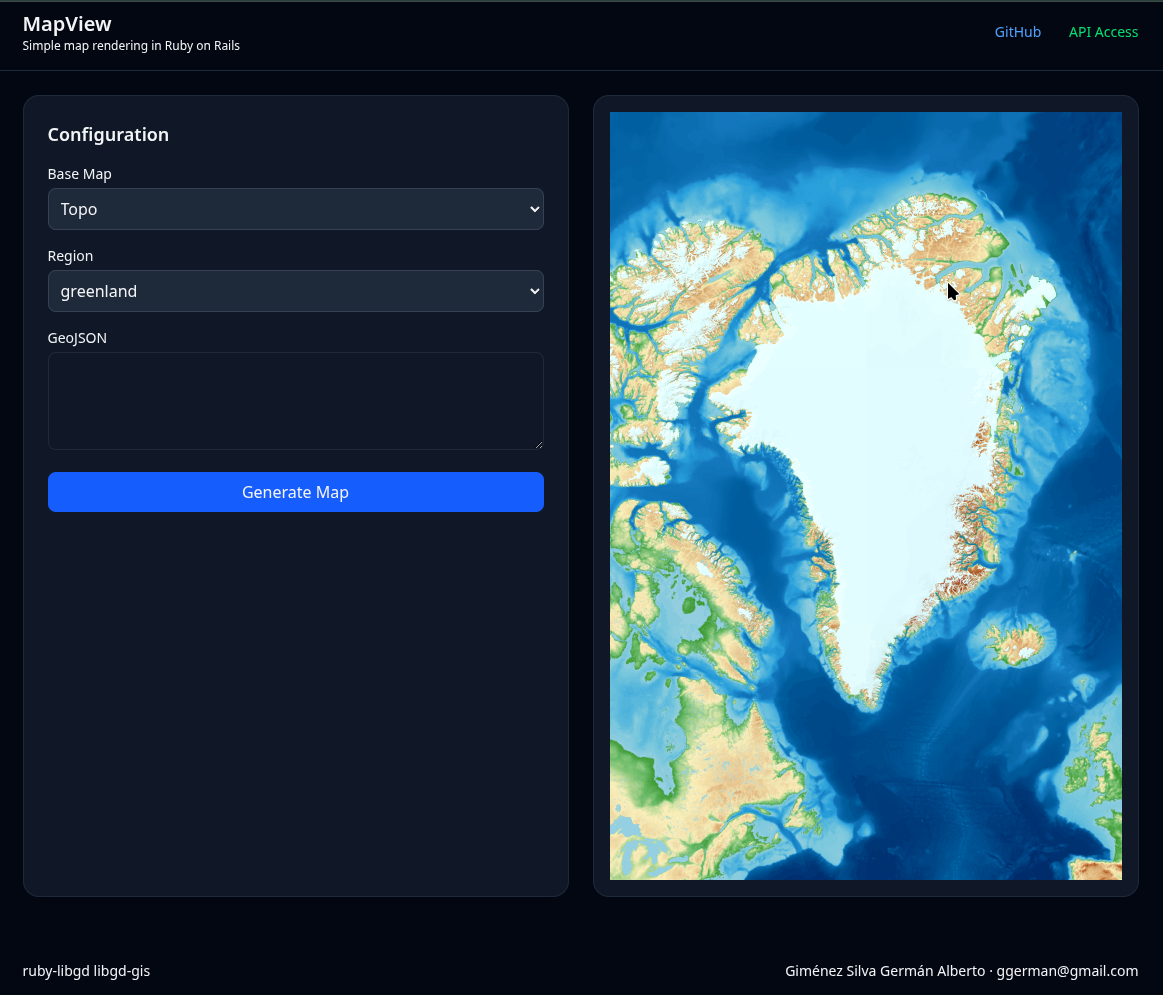
MapView generates static PNG maps directly from your Rails views using:
- libgd-gis – GIS rendering engine (built on ruby-libgd)
- GeoJSON – Standard geographic data format
- Ruby – Nothing else
No JavaScript. No frontend complexity. Just Rails.
<!-- Single point --><%= map_view_point(-58.3816, -34.6037, label: "Buenos Aires", zoom: 12) %><!-- Multiple locations from GeoJSON file --><%= map_view("public/data/cities.geojson", bbox: :argentina, zoom: 6, width: 800, height: 600) %><!-- Custom styling --><%= map_view("public/data/zones.geojson", style: "dark", basemap: :carto_dark, width: 1000, height: 700) %>
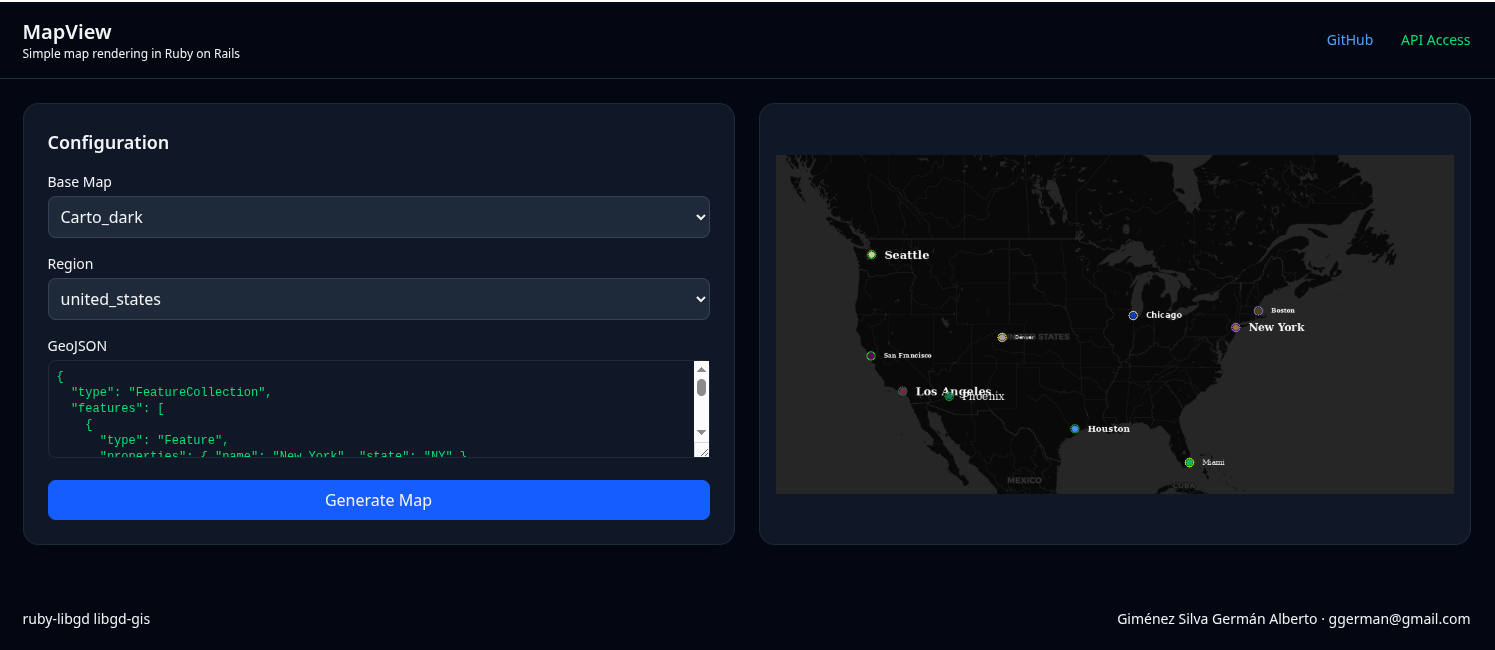
That’s it. Images are cached as PNG files and served instantly.
How It Works
MapView follows a simple pipeline:
View Helper (map_view or map_view_point) ↓Detect Input Type (GeoJSON string or file path) ↓Generate Cache Key (from path, bbox, zoom, style) ↓Check public/map_cache/ ↓If Found & Not Expired: Return <img> tagIf Not: ↓ Load GeoJSON data ↓ Create GD::GIS::Map with bbox + zoom + basemap ↓ Add GeoJSON features to map ↓ Load YAML style config ↓ Render map with libgd-gis ↓ Save PNG to public/map_cache/ ↓ Return <img> tag
The cache key ensures that identical maps are rendered only once. Change the style? New cache entry. Same data? Same image served instantly.
Getting Started
Installation
# Add to Gemfilegem 'map_view'# Installbundle install# Generate configurationrails generate map_view:install
This creates:
- config/initializers/map_view.rb – Configuration
- config/map_view_styles.yml – Built-in styles
- public/map_cache/ – Cache directory
Create Sample Data
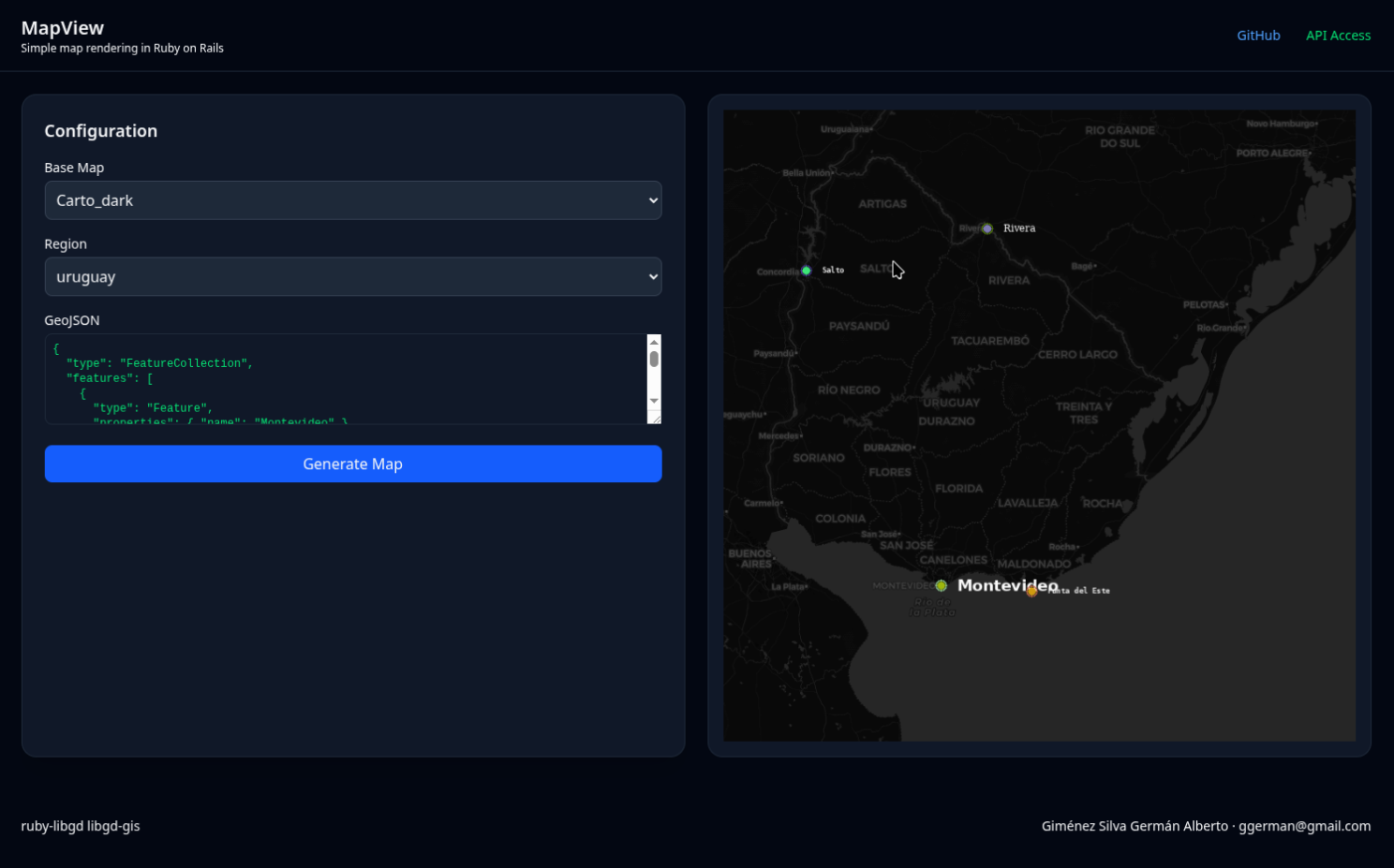
Create a GeoJSON file with your locations:
// public/data/cities.geojson{ "type": "FeatureCollection", "features": [ { "type": "Feature", "geometry": { "type": "Point", "coordinates": [-122.4194, 37.7749] }, "properties": { "name": "San Francisco", "state": "CA" } }, { "type": "Feature", "geometry": { "type": "Point", "coordinates": [-118.2437, 34.0522] }, "properties": { "name": "Los Angeles", "state": "CA" } } ]}
Render in View
<h1>US Cities</h1><div class="map-container"> <%= map_view("public/data/cities.geojson", bbox: :united_states, zoom: 6, width: 800, height: 600, basemap: :carto_light, style: :default) %></div>
That’s it. MapView automatically:
- Detects the GeoJSON file
- Calculates optimal zoom level (if not specified)
- Renders the map with libgd-gis
- Caches the PNG
- Returns an <img> tag
No JavaScript. No PostGIS required (though it works great with it).
API: The Two Main Helpers
MapView provides two simple helpers:
map_view(geojson_or_path, options = {})
Render a map from GeoJSON data or file.
<!-- From GeoJSON file --><%= map_view("public/data/zones.geojson", bbox: :argentina, width: 800) %><!-- From GeoJSON string (inline) --><% geojson = '{"type":"FeatureCollection","features":[...]}' %><%= map_view(geojson, zoom: 10) %>
Options:
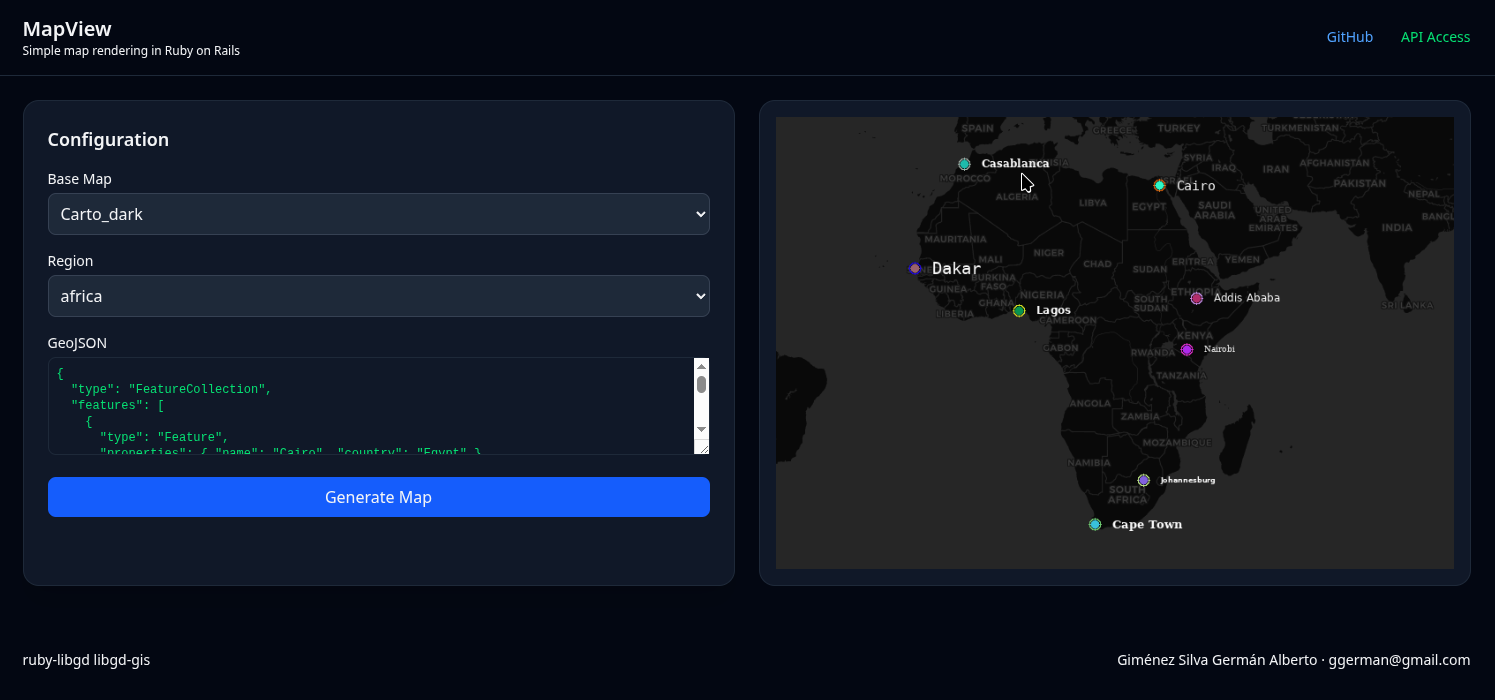
- bbox – Bounding box (:argentina, :world, or [min_lng, min_lat, max_lng, max_lat])
- zoom – Zoom level (1-16, auto-calculated if not specified)
- basemap – Provider (:carto_light, :osm, :esri_satellite, etc.)
- width – Image width in pixels (default: 800)
- height – Image height in pixels (default: 600)
- style – Style name from YAML config (default: “default”)
- alt – Alt text for <img> tag
- force_render – Bypass cache and re-render
map_view_point(lon, lat, options = {})
Render a single point.
<!-- Simple point --><%= map_view_point(-122.4194, 37.7749, label: "San Francisco") %><!-- With custom options --><%= map_view_point( -122.4194, 37.7749, label: "Headquarters", zoom: 14, width: 600, height: 400, style: :custom) %>
Internally, this creates a FeatureCollection with a single Point and calls map_view().
Real-World Use Cases
Delivery & Logistics
Store multiple delivery points in GeoJSON:
// public/data/deliveries.geojson{ "type": "FeatureCollection", "features": [ { "type": "Feature", "geometry": { "type": "Point", "coordinates": [-122.4194, 37.7749] }, "properties": { "address": "123 Main St, SF", "status": "delivered" } } ]}
Render in order confirmation email:
<%= map_view("public/data/deliveries.geojson", width: 600, height: 400) %>
PNG cached. Same data = instant load.
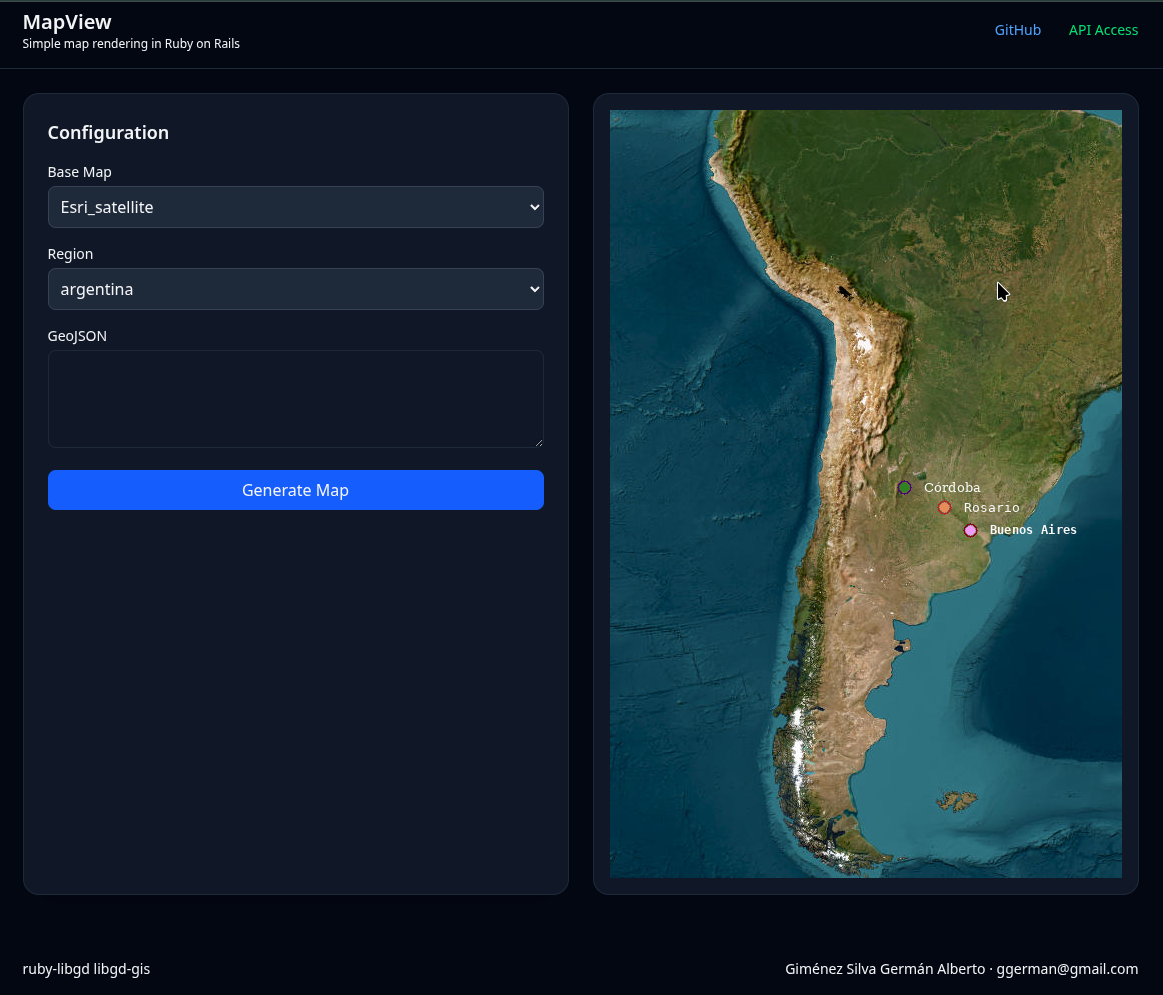
Real Estate Listings
Show properties in an area:
<!-- All listings in neighborhood --><%= map_view("public/data/listings.geojson", bbox: :los_angeles, style: :real_estate, width: 800, height: 600) %>
Store Locator
Simple store map:
<%= map_view("public/data/stores.geojson", bbox: :united_states, zoom: 6, width: 1000, height: 700) %>
Marketing Materials
Generate static maps for brochures, reports, emails:
<!-- High-res map for printing --><%= map_view("public/data/coverage.geojson", width: 1200, height: 900, force_render: true) %>
Styling Maps
MapView includes built-in styles and YAML-based customization:
# config/map_view_styles.ymlmy_delivery_style: marker_color: [255, 100, 50] # Orange marker_size: 10 line_color: [0, 122, 255] # Blue line_width: 3 background_color: [245, 245, 245] # Light gray
Use it:
<%= map_view("public/data/routes.geojson", style: "my_delivery_style") %>
Available basemaps:
- :osm – OpenStreetMap
- :carto_light – CARTO Light (default)
- :carto_dark – CARTO Dark
- :esri_satellite – ESRI Satellite
- :stamen_toner – Stamen Toner
- :stamen_terrain – Stamen Terrain
Performance: MapView vs Leaflet
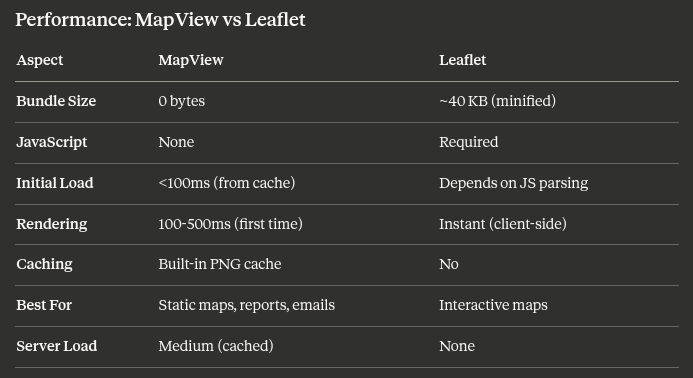
MapView trades interactivity for speed, simplicity, and zero JavaScript.
If your users need to zoom, pan, and click—use Leaflet. If you just need to show locations—use MapView.
The Journey: From GD to MapView
This journey started in 2004. For 20 years, I kept asking: Why doesn’t Ruby have great GD support?
The answer came in pieces:
- 2026 (January) – Released ruby-libgd v0.1.0
- 2026 (January) – Released libgd-gis v0.1.0
- 2026 (April) – Released map_view v0.1.0
Each piece builds on the last. MapView is the practical Rails layer on top of years of work on ruby-libgd and libgd-gis.
Licensing
MapView is available under two licenses:
Open Source (MIT)
Free for personal projects, open-source apps, and evaluation.
gem 'map_view'
Commercial License
For production deployments, commercial applications, and priority support.
Contact: ggerman@gmail.com
What’s Next?
MapView v0.1.0 is alpha. Future versions will include:
- [ ] Clustering for large datasets (1000+ points)
- [ ] Advanced styling (per-feature colors)
- [ ] Multi-layer support
- [ ] Streaming large GeoJSON files
- [ ] Better error messages
- [ ] Performance benchmarks
- [ ] PostGIS integration helpers
The core is solid. The ecosystem around it is still evolving.
Install:
gem 'map_view'rails generate map_view:install
Documentation: https://github.com/ggerman/map_view/blob/main/README.md
Conclusion
For 20 years, I wondered why Ruby didn’t have solid map support. The answer wasn’t “Ruby isn’t good at graphics.” The answer was: I needed to build it.
MapView is the result: a gem that takes the power of GIS libraries and makes them accessible to Rails developers who just want to render maps without JavaScript complexity.
If you’re building:
- Delivery tracking maps
- Store locators
- Real estate listings
- GIS reports
- Marketing materials with maps
MapView might be exactly what you need.
Try it. Build with it. Let me know what you create.
About the Author
Germán Alberto Giménez Silva has been fascinated by graphics libraries since 2004. Today, he’s bringing that passion to Ruby with ruby-libgd, libgd-gis, and MapView.
Find him on GitHub or reach out at ggerman@gmail.com for questions about MapView licensing or integration.
Related Reading
- ruby-libgd: GD Library Bindings for Ruby
- libgd-gis: GIS Extensions for Ruby
- GeoJSON: The Web’s Geographic Data Format
- Static vs Interactive Maps: When to Use Each
Published on Ruby Stack News. Featured in Ruby Weekly.
Last updated: April 2026

 Linking Ruby knowledge from the most remote places in the world.